
By default, Laser Loader is enabled on all pages and places on the top of the page. You can change this behavior in the plugin settings.
The following is a screenshot of plugin settings and explaining each option.
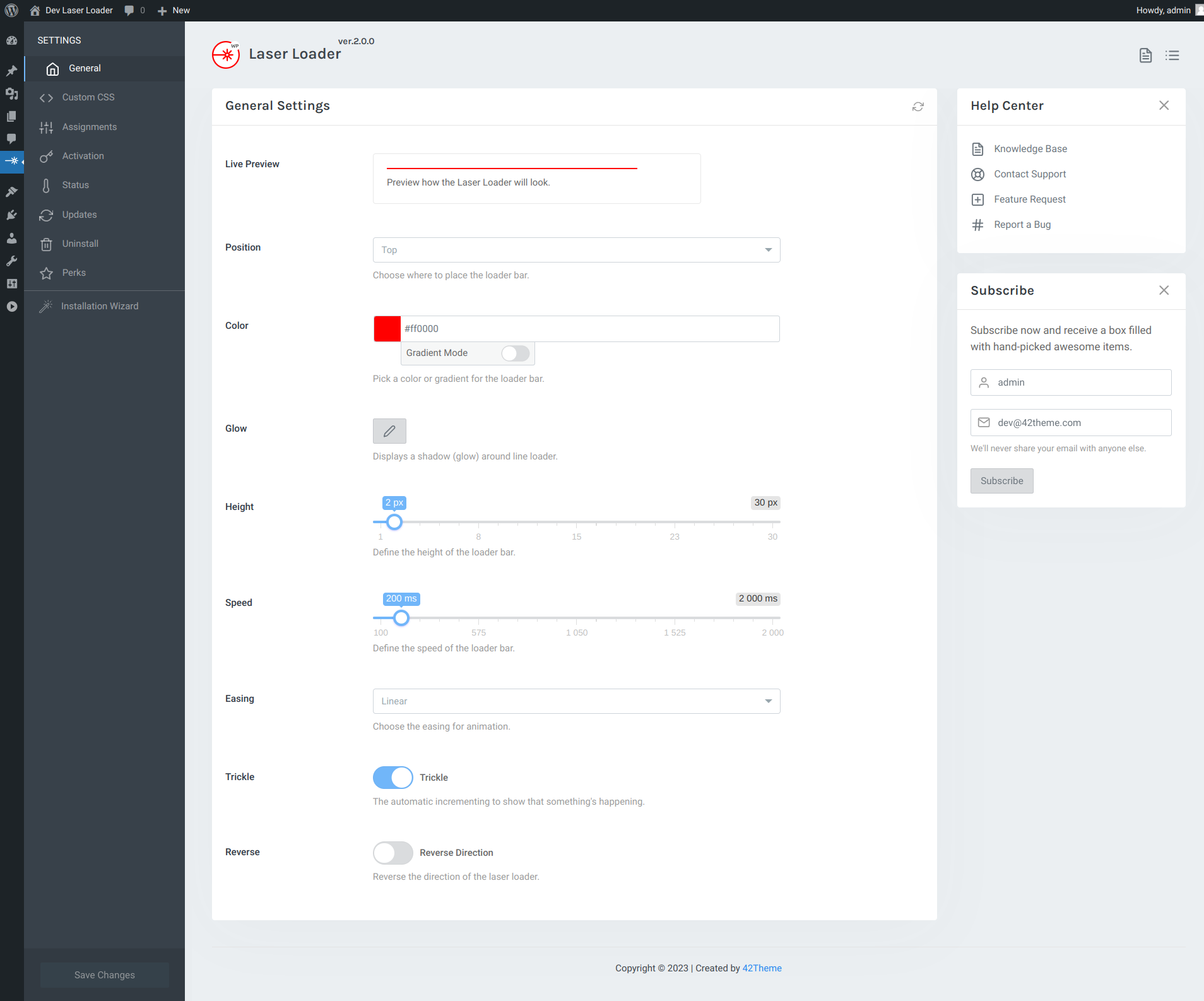
Position: Choose where to place the loader bar: Top or Bottom.
Color: Select color for loader bar. You can choose gradient color or solid color.
Glow: Add shadow or glow for laser loader.
Height: Set the height in pixels for progress bar preloader.
Speed: Set the speed for one step.
Easing: Choose easing for animation.
Trickle: The automatic incrementing to show that something’s happening.
Reverse Direction: Reverse direction for RTL sites.
© 2016 - 2026 42Theme. All Rights Reserved.